
Teacher Guide
Guide 1 of 6
Find your way around
Everything in SudoStudy happens inside a subject. Here's how to open one and what each part of the screen does.
2 minutesRed labels show where to click
A
Open your subject
Step 1: Sign in and pick your subject
Subjects are grouped by level: A Levels, IGCSE, O Levels and IB.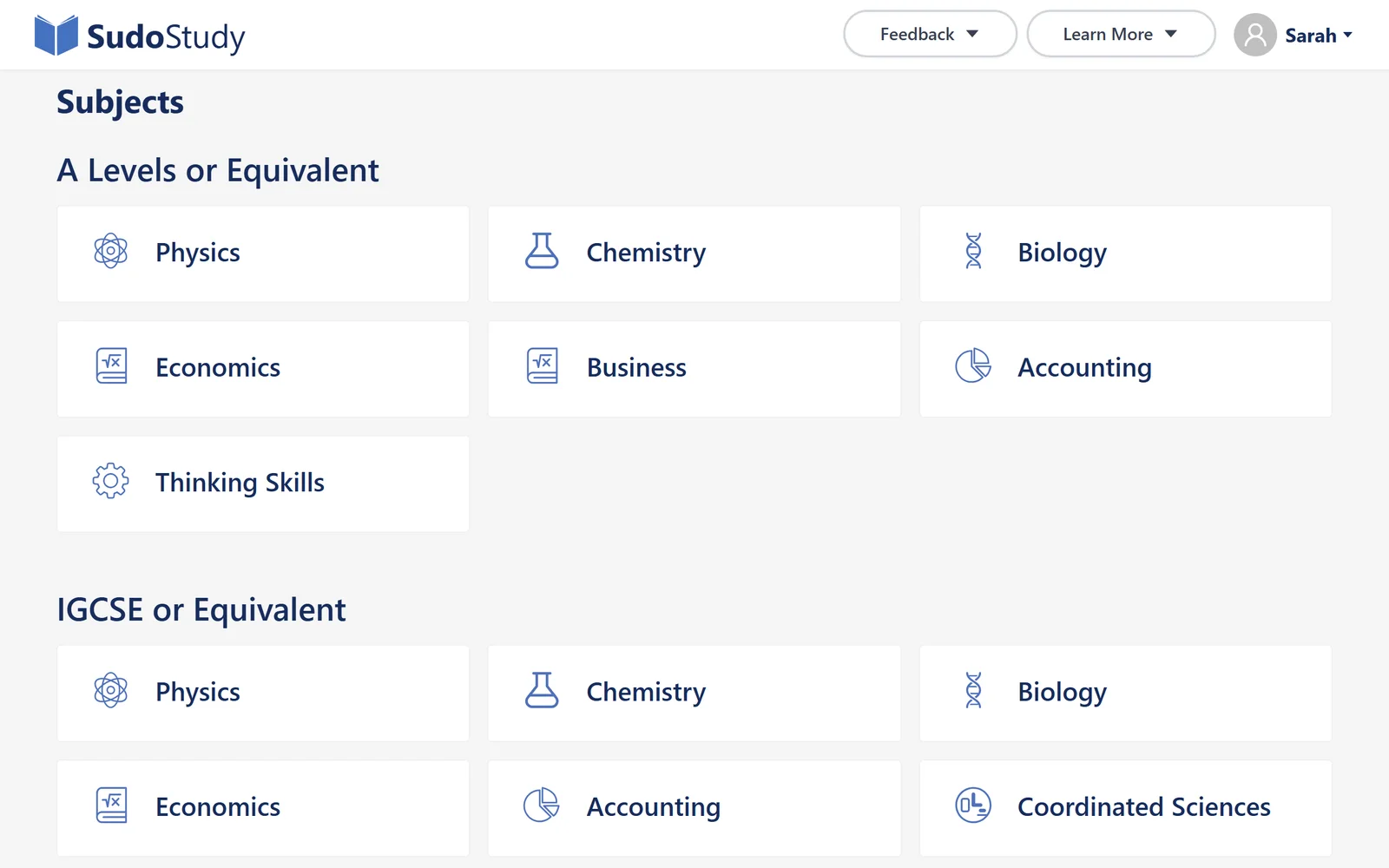
- Click your subject
- Good to know: There's nothing to set up. Every subject is ready to use.
Step 2: Teach more than one subject? Switch here
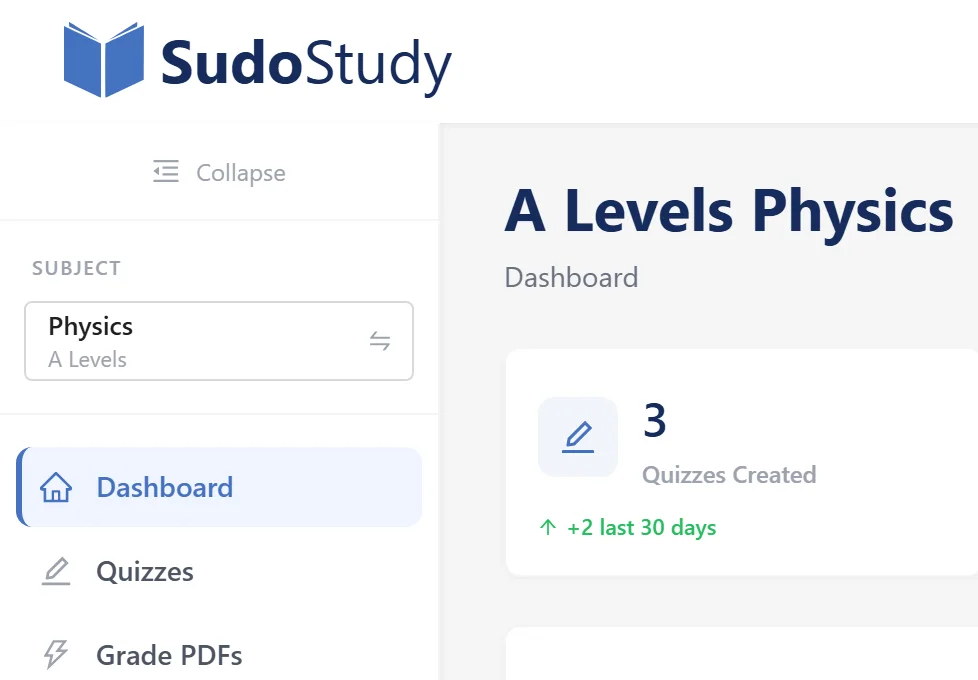
- Switch subject
B
Learn the menu
The menu on the left is the same on every page.
Step 1: Five places you'll use
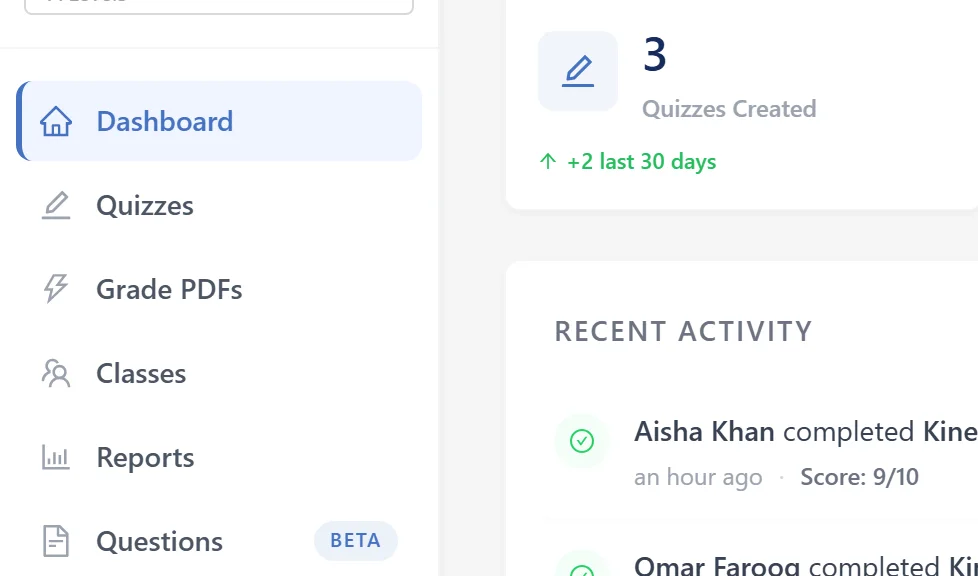
- Your class at a glance
- Create quizzes, see results
- Mark scanned paper tests
- Add students and classes
- Progress reports
- Tip: On a phone, tap the ☰ button at the top left to open the menu.
Step 2: Your account menu
Click your name in the top-right corner.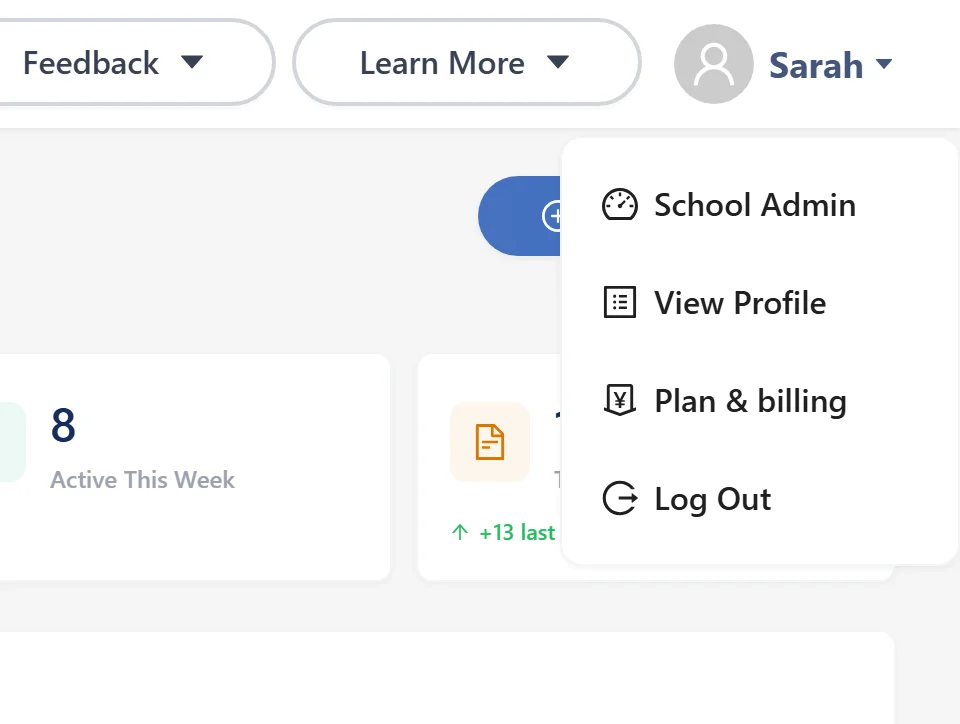
- Profile, billing and log out
C
Read your dashboard
Step 1: See what's happening in your class
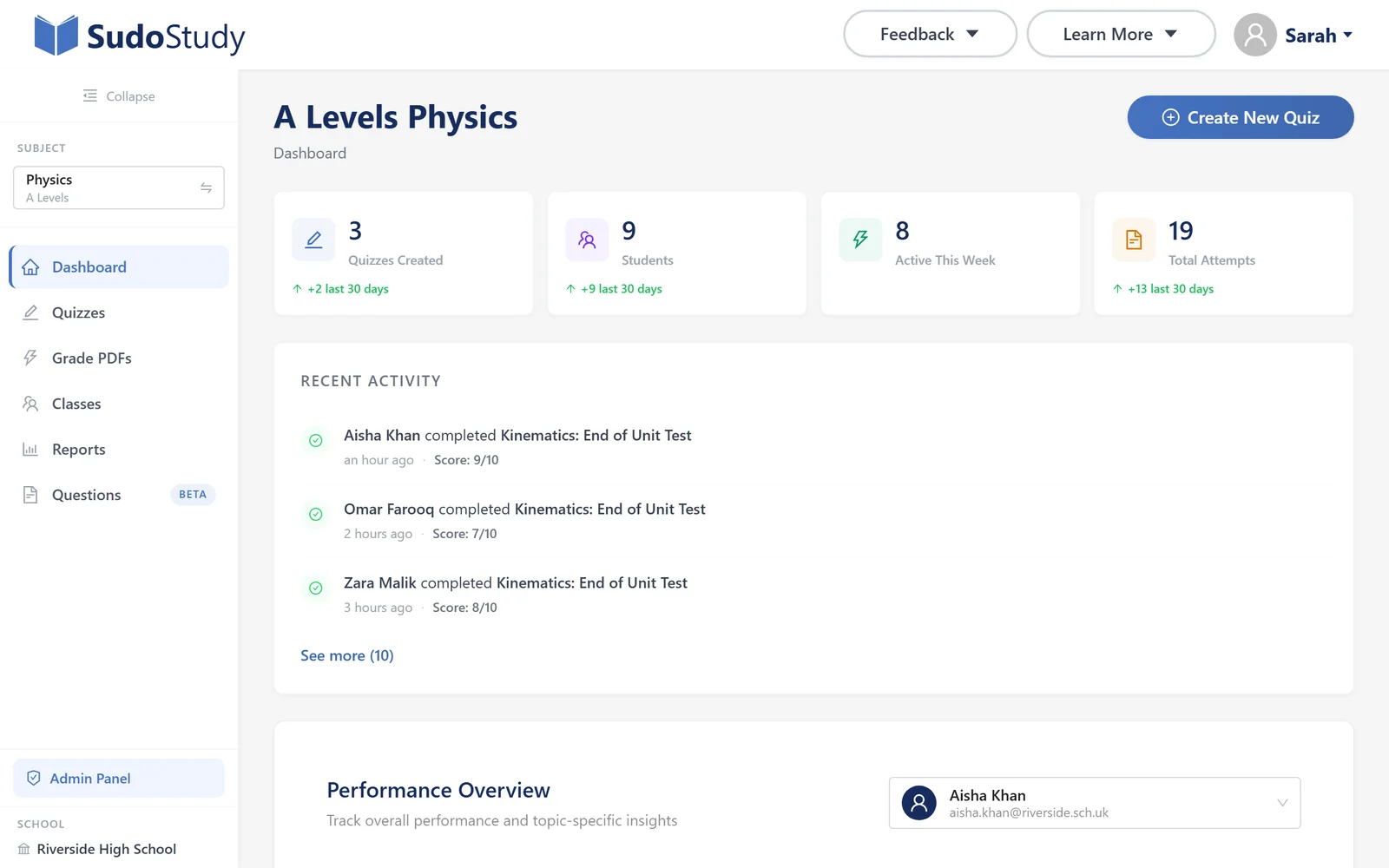
- Your totals, and the last 30 days
- Who just finished a quiz
Something not working?
Book a Demo
See the platform in action and ask any questions you have
WhatsApp Support
Get instant support and answers to your questions
We typically respond within minutes
Prefer email? [email protected]